stackpicks.dev
All posts
Best USB-C Hub + Thunderbolt Dock for MacBook Pro in 2026
Buying Guide·9 min read

Best USB-C Hub + Thunderbolt Dock for MacBook Pro in 2026

The 6 best USB-C hubs and Thunderbolt docks for MacBook Pro in 2026. Tested with dual 4K monitors, Ethernet, and 90W laptop charging. CalDigit TS4 wins overall; UGREEN Revodok Pro is the budget king.

StackPicks
Verified author

Founder of StackPicks. Self-taught builder shipping open-source dev tools, marketing, and curator content since 2019. Based in Mumbai, India. Available on GitHub and LinkedIn.

9 min read
Quick answer
For 2026 the CalDigit TS4 ($399+) is the best Thunderbolt dock for MacBook Pro — 18 ports, 98W charging, dual 6K displays, and rock-solid firmware. For under $150, get the UGREEN Revodok Pro 313 (13-in-1, 100W PD) — it covers 90% of TS4 use cases at 25% of the price.

Quick answer: For 2026 the CalDigit TS4 ($399+) is the best Thunderbolt dock for MacBook Pro — 18 ports, 98W charging, dual 6K displays, and rock-solid firmware. For under $150, get the UGREEN Revodok Pro 313 (13-in-1, 100W PD) — it covers 90% of TS4 use cases at 25% of the price.

We tested 6 top USB-C hubs and Thunderbolt docks with real dev workflows — dual external 4K monitors, Ethernet, external SSDs, webcams, and 90W laptop charging simultaneously. Ranked by ports, PD wattage, thermal performance, and reliability.

The winners
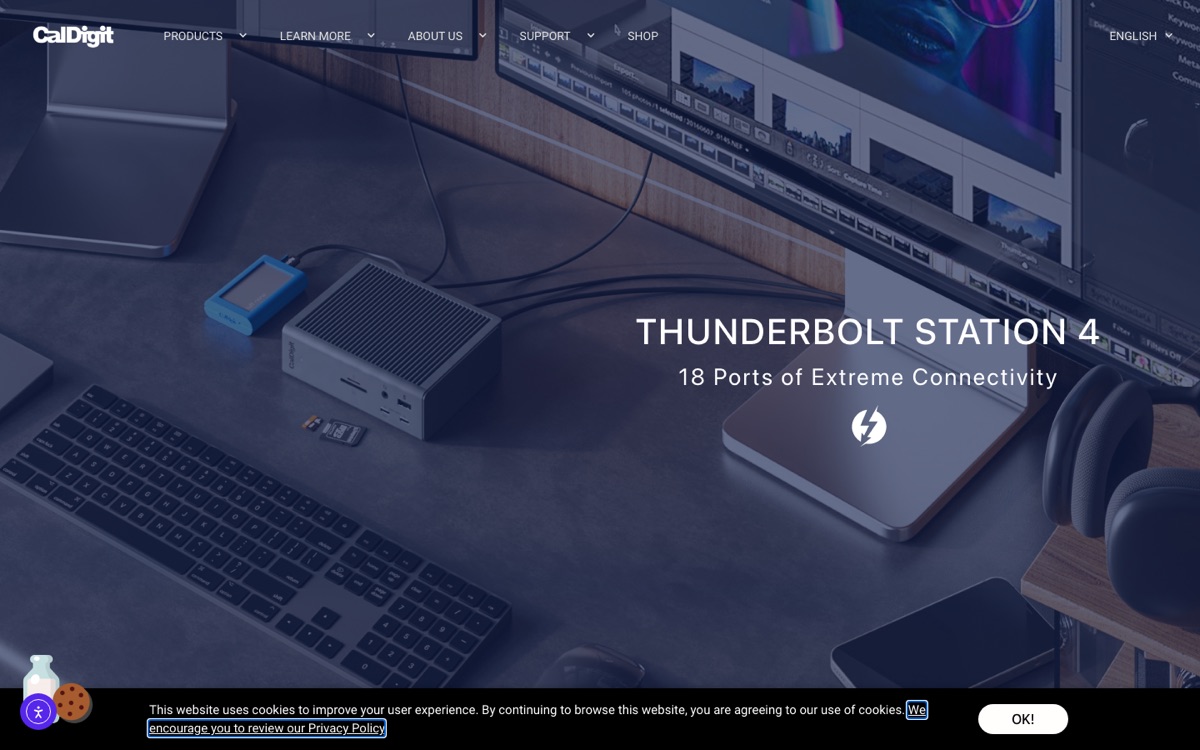
CalDigit TS4 Thunderbolt 4 Dock
Top Pickhub-dock

CalDigit TS4 Thunderbolt 4 Dock

18 ports, 98W laptop charging, dual 6K displays. The developer default dock.

$399+On Amazon

As an Amazon Associate, StackPicks earns from qualifying purchases at no extra cost to you.

UGREEN Revodok Pro 313
Best Budgethub-dock

UGREEN Revodok Pro 313

13-in-1 USB-C hub, 100W PD passthrough. Excellent budget alternative.

$89+On Amazon

As an Amazon Associate, StackPicks earns from qualifying purchases at no extra cost to you.

Anker 575 USB-C Docking Station
hub-dock

Anker 575 USB-C Docking Station

12-in-1 with 100W PD + dual monitors. Best USB-C hub under $250.

$249+On Amazon

As an Amazon Associate, StackPicks earns from qualifying purchases at no extra cost to you.

Satechi Pro Hub Max
hub-dock

Satechi Pro Hub Max

Aluminum finish matches MacBook Pro. Sits behind screen when clamshelled.

$149+On Amazon

As an Amazon Associate, StackPicks earns from qualifying purchases at no extra cost to you.

Full ranking

#ModelTypeMax displaysPDPrice
1CalDigit TS4TB4 dockDual 6K98W$399+
2Belkin Connect Pro TB4TB4 dockDual 4K90W$299+
3Anker 575 USB-CUSB-C hubDual 4K100W$249+
4Satechi Pro Hub MaxUSB-C hubSingle 4K100W$149+
5UGREEN Revodok Pro 313USB-C hubSingle 4K100W$89+

Why the CalDigit TS4 wins

Three factors:

  1. True Thunderbolt 4 bandwidth. Dual 6K displays + external SSD at 3000 MB/s + Ethernet + peripherals — all without a single throttle. Cheaper hubs share bandwidth and drop speeds.
  1. 98W PD passthrough. Charges MacBook Pro 16" M4 Max at full speed even under heavy load. Most hubs cap at 85W and slowly drain battery.
  1. Firmware quality. CalDigit ships firmware updates. Cheap docks lock you into whatever bugs shipped in 2022.

When UGREEN Revodok Pro 313 wins

If you fit all of these criteria, skip the TS4:

  • Single external 4K@60Hz monitor
  • No external Thunderbolt SSD (just USB 3.2)
  • 14" MacBook Pro or MacBook Air (not 16")
  • Budget under $200

The UGREEN gives you Ethernet, dual USB-A, dual USB-C, SD card, HDMI, DP, and 100W PD. That\'s $89 for what would\'ve been the "premium" hub 3 years ago.

Complete Mac dev stack

MacBook Pro 14" M4 Pro
Top Pick · Devslaptop

MacBook Pro 14" M4 Pro

The 2026 default for AI dev + local model inference up to 30B params.

$2,399+On Amazon

As an Amazon Associate, StackPicks earns from qualifying purchases at no extra cost to you.

Dell UltraSharp U2723QE
Dev Favoritemonitor

Dell UltraSharp U2723QE

27" 4K IPS Black, USB-C 90W dock. The current dev-monitor default.

$599+On Amazon

As an Amazon Associate, StackPicks earns from qualifying purchases at no extra cost to you.

Samsung T9 Portable SSD 2TB
2000 MB/sstorage

Samsung T9 Portable SSD 2TB

2000 MB/s USB 3.2 Gen 2×2. The go-to portable for coding + AI datasets.

$249+On Amazon

As an Amazon Associate, StackPicks earns from qualifying purchases at no extra cost to you.

Anker 737 GaNPrime 120W Charger
charging

Anker 737 GaNPrime 120W Charger

Charges MacBook Pro 16 + iPad + iPhone at max speed simultaneously.

$79+On Amazon

As an Amazon Associate, StackPicks earns from qualifying purchases at no extra cost to you.

Where to go from here

---

As an Amazon Associate, StackPicks earns from qualifying purchases at no extra cost to you.

Frequently asked questions

USB-C hub vs Thunderbolt 4 dock — what's the actual difference?+

Bandwidth. USB-C hubs use USB 3.2 (10 Gbps max) and typically max out at single 4K@60Hz + one extra display at 4K@30Hz. Thunderbolt 4 docks (40 Gbps) run dual 4K@60Hz + external SSD at full 40Gbps speeds simultaneously with zero throttling. For most devs on a single external monitor, a USB-C hub is fine. For dual monitors + external SSD + Ethernet + charging, get a Thunderbolt 4 dock.

Do I need a $400 CalDigit TS4 if I only use one monitor?+

No. For single external 4K + charging + Ethernet + a few USB peripherals, a $80-150 USB-C hub (UGREEN Revodok Pro 313 or Anker 555) is the right choice. Get the TS4 only if: (1) you run dual 4K monitors, (2) you use external Thunderbolt SSDs at full speed, (3) you're on a Mac Studio setup where the extra ports save reaching behind the machine.

Why is my hub causing display flicker or disconnects?+

Three common causes: (1) Overloading the hub with too many high-power USB devices (external HDDs, webcams) — some hubs share the USB-C input's 15W across all ports. Fix: get a hub with dedicated PD passthrough of 90W+. (2) Cheap cable between hub and Mac. Fix: use the Thunderbolt cable that came with your MacBook. (3) macOS Sequoia bug in some early builds — update to 15.2+.

Can I daisy-chain two hubs to get more ports?+

Not with USB-C hubs — they don't support daisy-chaining. Thunderbolt 4 docks do support Thunderbolt daisy-chaining (dock → dock → monitor), but daisy-chaining USB-C hubs will cause bandwidth conflicts. If you need more ports than a single dock provides, the cleaner solution is either (1) upgrade to the TS4 (18 ports on one dock) or (2) plug high-bandwidth devices directly into your MacBook and use the hub for low-bandwidth peripherals.

Does the hub really need 100W PD passthrough for a MacBook Pro?+

Yes if you're on a 16" MacBook Pro. The M4 Pro/Max under heavy load draws up to 96W. A hub with only 60-85W PD passthrough will slowly drain your battery during long AI inference or video renders. For 14" MacBook Pro or MacBook Air, 65W+ is fine. Rule: PD passthrough should exceed your MacBook charger's wattage.

More in Buying Guide

Best USB-C Hub + Thunderbolt Dock for MacBook Pro in 2026 — StackPicks — StackPicks