
Short version: at the plans most people buy, Claude Code and Codex cost the same. The choice is about working style. Claude Code is the stronger pick for long, ambiguous, multi-file work and for teams that lean on hooks and MCP. Codex is the stronger pick for terminal-native developers who want to fan well-defined tasks out to parallel cloud runs. Both now read the same Agent Skills format, which makes this a far less permanent decision than it was a year ago.
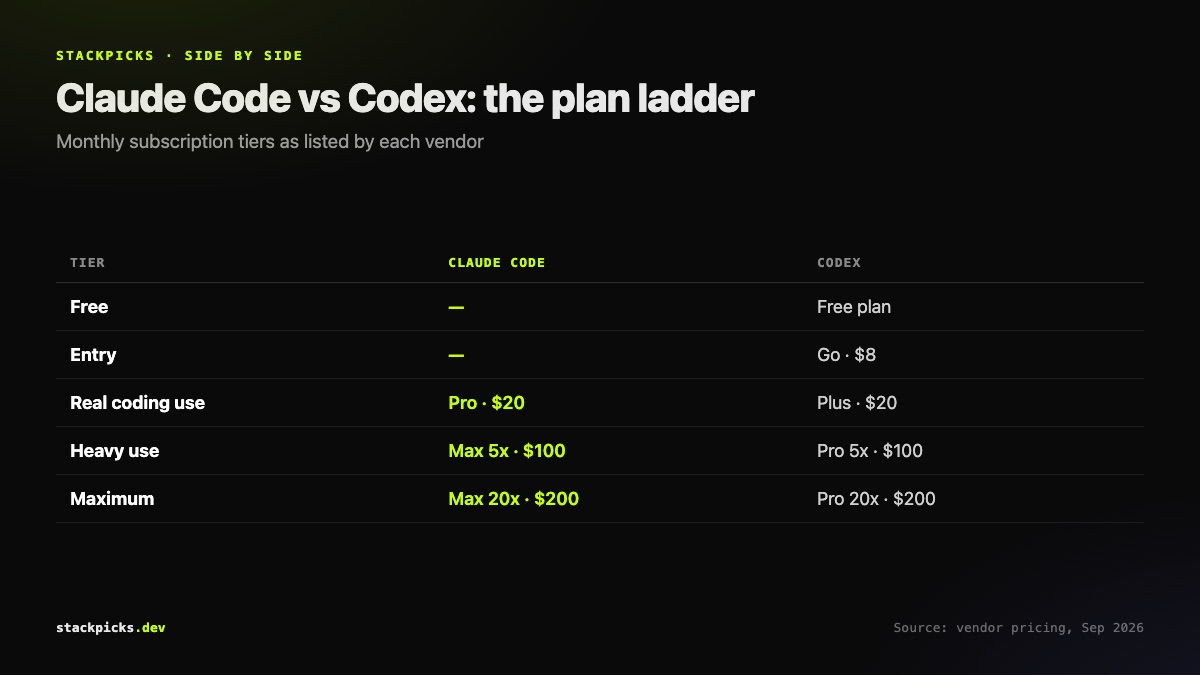
Pricing, plan by plan
Both vendors meet at $20 a month for real coding use: Claude Pro for Claude Code, ChatGPT Plus for Codex. Above that the ladders mirror each other at $100 and $200. OpenAI additionally offers a free plan and an $8 Go plan, so if you want to try an agent without paying, Codex has the cheaper on-ramp. Check each vendor's pricing page before buying, because limits inside each tier change more often than the prices do.
What each one is
Claude Code is Anthropic's coding agent. It runs in the terminal, as a desktop app, on the web, and inside VS Code and JetBrains, all on the same engine. Its extension points are hooks, skills, plugins and MCP servers.
**Codex** is OpenAI's coding agent. The Codex CLI is open source under Apache-2.0 and runs locally with OS-level sandboxing, and Codex can also run tasks in OpenAI's cloud in parallel.
Where Claude Code is stronger
- Long, ambiguous tasks where the agent has to plan across many files.
- Workflows built on hooks, which run your own scripts at defined points in a session.
- Heavy MCP use, with local, project and user scopes that make team sharing straightforward.
Where Codex is stronger
- Terminal-first developers who want an open-source client they can read and modify.
- Well-specified tasks that can be split up and run in parallel in the cloud.
- Starting free, or on the $8 tier, before committing.
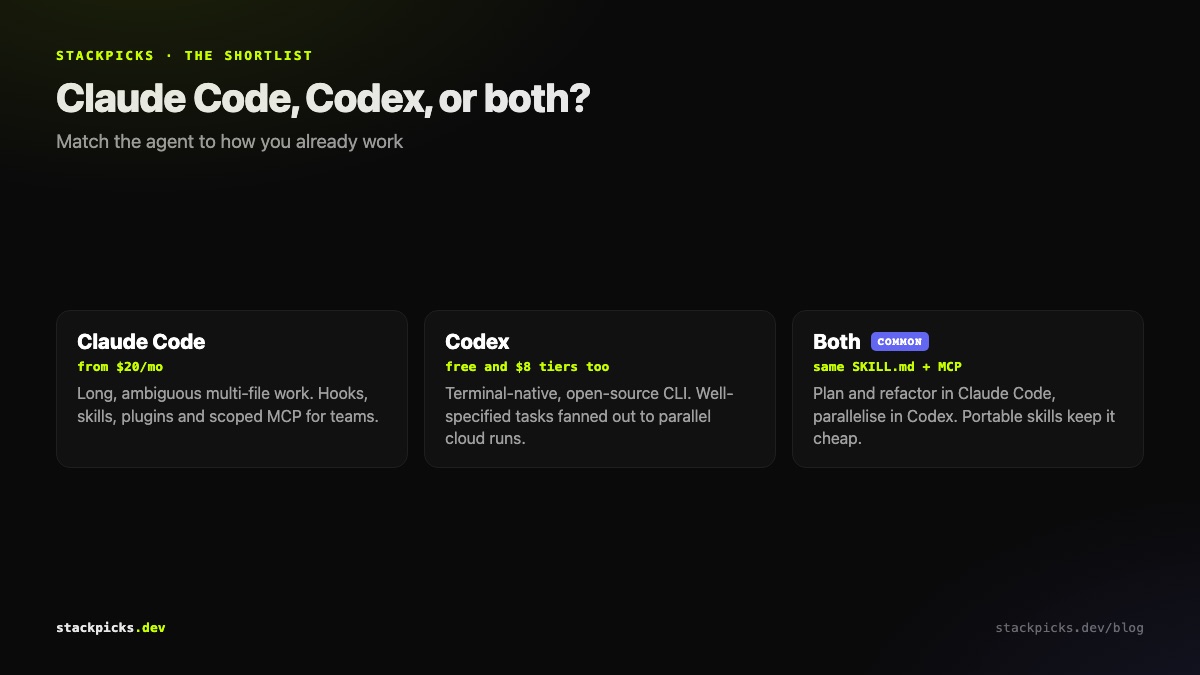
The part that changed in 2026: skills and MCP are portable
Agent Skills became an open standard, and Codex, Gemini CLI, GitHub Copilot and Cursor read the same SKILL.md format as Claude Code. MCP is shared too. Adding Atlassian's official server looks like this in each tool:
claude mcp add --transport http atlassian https://mcp.atlassian.com/v2/mcp
codex mcp add atlassian --url https://mcp.atlassian.com/v2/mcp
If you keep your skills in the repository and your MCP servers documented, moving between the two, or using both, costs an afternoon rather than a rewrite. Browse portable skills in the Agent Skills directory.
Our take
Pick the tool that matches how you already work, not the benchmark of the week. If you think in plans and refactors, start with Claude Code. If you live in the terminal and want to parallelise, start with Codex. Keep your skills portable either way.