All posts
Developer Tools·4 min read·Updated 25 Nov 2026

GitHub Copilot Evals: Test Your Skills, Custom Agents and MCP Tools Before You Ship (2026)

Quick answer
GitHub Copilot Evals, in public preview since 17 November 2026, lets you build repeatable tests for skills, custom agents and MCP tools and compare results before and after a change. It runs in VS Code, the Copilot CLI and the GitHub Copilot app, for Copilot Individual, Business and Enterprise plans.

GitHub Copilot Evals entered public preview on 17 November 2026. Where it runs, which plans get it, how to install it, and why evals matter for agent setups.

Piyush

Founder of StackPicks, based in Mumbai, India. Every tool recommended here is checked on GitHub first; see how we pick.

4 min read
GitHub Copilot Evals: Test Your Skills, Custom Agents and MCP Tools Before You Ship (2026)

**Short version:** you change a skill or an MCP tool description, and you want to know if the agent got better or worse. Copilot Evals turns that into a repeatable test. Source: GitHub's changelog entry.
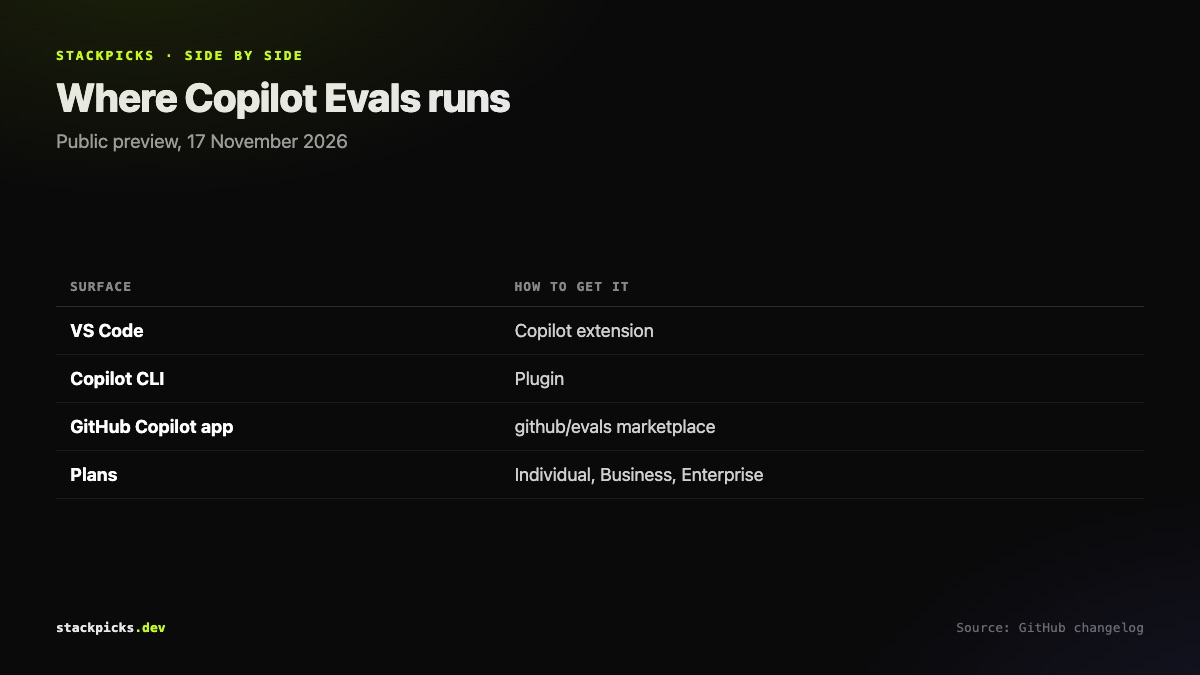
Where GitHub Copilot Evals runs: VS Code, Copilot CLI and the GitHub Copilot app

What it does

  • Define test cases for your skills, custom agents and MCP tools.
  • Run them, then compare results before and after a change.
  • Catch regressions when you edit a prompt, swap a model or update a server.

Where and who

SurfaceHow
VS CodeCopilot extension
Copilot CLIPlugin
GitHub Copilot appAdd the github/evals marketplace, install the plugin

Plans: Copilot Individual, Business and Enterprise, in public preview. GitHub has not published pricing or run limits for the preview.

Why evals matter now
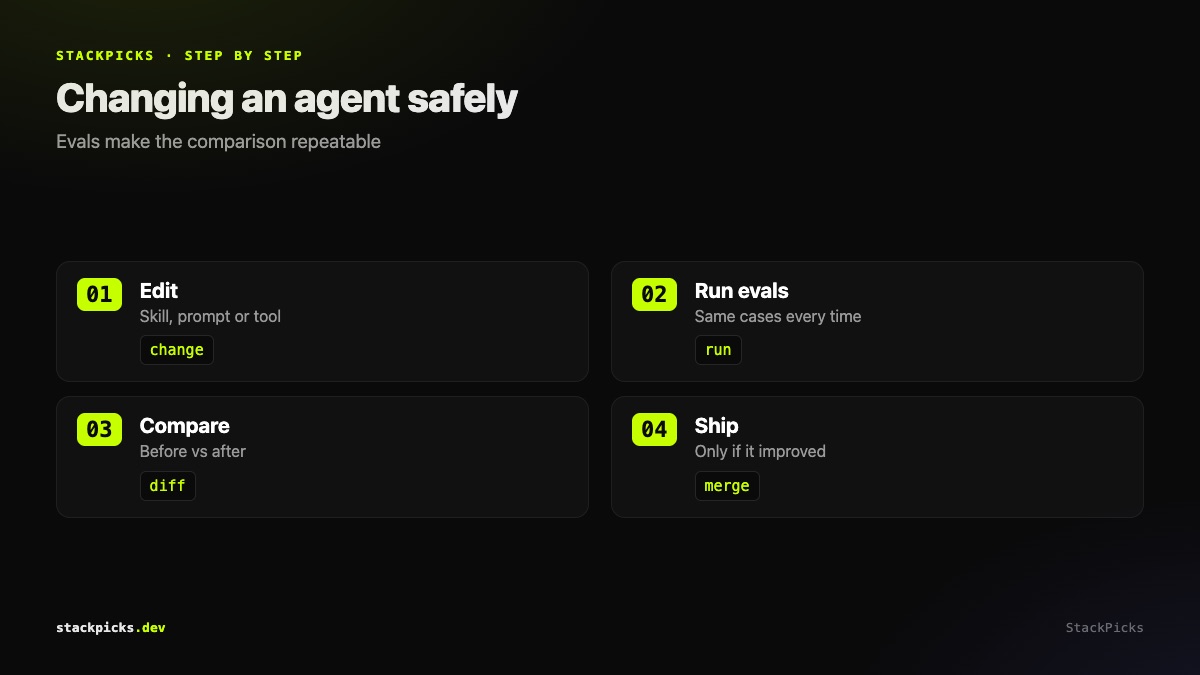
Agent setup change loop: edit, run evals, compare, ship

Agent behaviour depends on text you write: skill instructions, tool descriptions, subagent prompts. Small wording changes move results in ways you cannot see by trying one prompt. A saved eval set is the cheapest guard. If you also use Claude Code, the same discipline applies to skills and subagents.

Security note: evals test behaviour, not permissions. Review what your agents can reach, especially after incidents like the GitHub Copilot agent private repo leak.

Frequently asked questions

What is GitHub Copilot Evals?+

GitHub Copilot Evals is a feature that lets you create repeatable tests for the skills, custom agents and MCP tools in your Copilot setup, run them, and compare results before and after you make changes. GitHub announced it in public preview on 17 November 2026. It helps catch regressions when you edit instructions, change tool descriptions or switch models.

Which Copilot plans include Evals?+

GitHub's changelog says Copilot Evals is in public preview for Copilot Individual, Copilot Business and Copilot Enterprise plans. GitHub has not published separate pricing or limits on eval runs for the preview period. Because it is a preview, features and availability may change before general availability, so check GitHub's documentation for the current status.

How do I install Copilot Evals?+

Copilot Evals is available in three places: the Visual Studio Code extension, the Copilot CLI as a plugin, and the GitHub Copilot app. In the Copilot app, you add the github/evals marketplace and install the plugin from there. GitHub collects feedback on the preview through a GitHub Community discussion linked from the changelog.

Why should I write evals for AI agents?+

An agent's behaviour depends heavily on text such as skill instructions, tool descriptions and prompts. Small edits can improve one case and break another, and trying a single prompt by hand will not reveal that. A saved set of eval cases gives you a repeatable before and after comparison, so you can ship changes to agents and MCP tools with evidence instead of guesswork.

More in Developer Tools