
**Short version:** hooks turn "please always run the formatter" from a hope into a guarantee. The model can forget an instruction; a hook cannot, because Claude Code runs it, not Claude. Everything below is from Anthropic's hooks guide — the two code examples are quoted from it.
Where hooks live
| File | Scope | Shareable |
|---|---|---|
~/.claude/settings.json | All your projects | No |
.claude/settings.json | One project | Yes, commit it |
.claude/settings.local.json | One project | No |
Plugin hooks/hooks.json | When the plugin is enabled | Yes |
| Skill or subagent frontmatter | While that skill or subagent runs | Yes |
Run /hooks inside Claude Code to browse every configured hook grouped by event. To switch them all off, set "disableAllHooks": true in a settings file.
The events worth knowing first
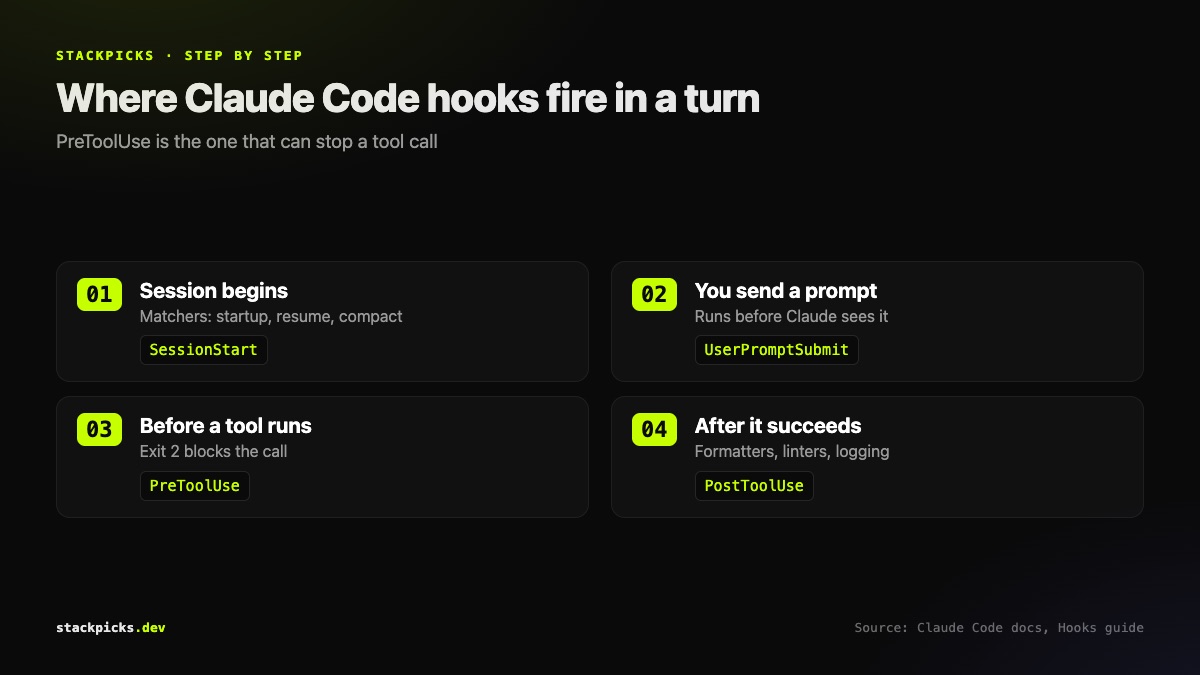
- `PreToolUse` — before a tool call runs. Can block it.
PostToolUse— after a tool call succeeds.UserPromptSubmit— when you submit a prompt, before Claude sees it.Notification— when Claude Code sends a notification.Stop— when Claude finishes responding.SessionStart— when a session begins or resumes.PreCompact/PostCompact— around context compaction.FileChanged— when a watched file changes on disk.
There are many more, including SubagentStart, SubagentStop, PermissionRequest and SessionEnd.
Example 1: format every file Claude edits
A PostToolUse hook with an Edit|Write matcher runs only after file-editing tools. Add to .claude/settings.json:
{
  "hooks": {
    "PostToolUse": [
      {
        "matcher": "Edit|Write",
        "hooks": [
          {
            "type": "command",
            "command": "jq -r '.tool_input.file_path' | xargs npx prettier --write"
          }
        ]
      }
    ]
  }
}
The hook receives the tool call as JSON on stdin; jq pulls out the file path. You need jq installed.
Example 2: block edits to protected files
Save as .claude/hooks/protect-files.sh, make it executable, and register it as a PreToolUse hook:
#!/bin/bash
INPUT=$(cat)
FILE_PATH=$(echo "$INPUT" | jq -r '.tool_input.file_path // empty')
FILE_PATH="${FILE_PATH//\\//}"
PROTECTED_PATTERNS=(".env" "package-lock.json" ".git/")

for pattern in "${PROTECTED_PATTERNS[@]}"; do
  if [[ "$FILE_PATH" == *"$pattern"* ]]; then
    echo "Blocked: $FILE_PATH matches protected pattern '$pattern'" >&2
    exit 2
  fi
done
exit 0
Because it exits 2, Claude receives the stderr message and adjusts instead of silently failing.
How exit codes decide what happens
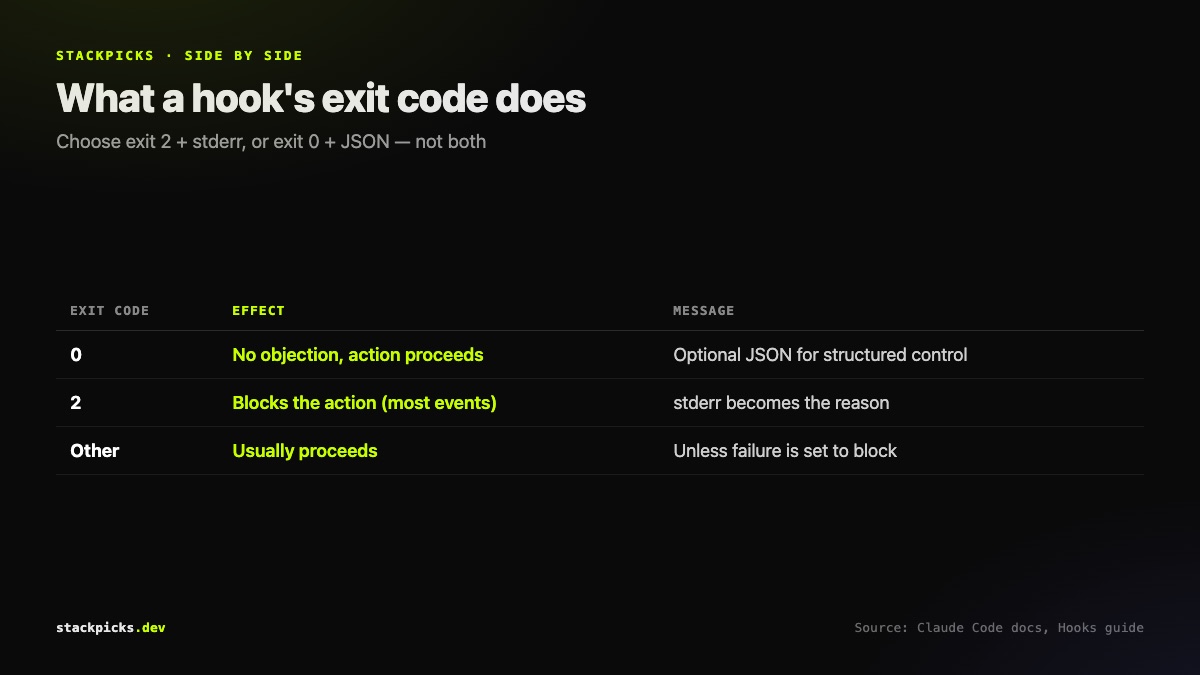
- Exit 0 — no objection; the action proceeds.
- Exit 2 — block. Write the reason to stderr. Depending on the event, Claude gets it as feedback, you see it, or nothing appears. Some events, such as
SessionStart, cannot be blocked. - Any other code with no valid JSON — the action usually proceeds, unless the hook is configured so its failure blocks.
Pick one style per hook: exit 2 with stderr, or exit 0 with JSON output for structured control.
Matchers in one table
| Events | Matcher filters on | Example values | |
|---|---|---|---|
PreToolUse, PostToolUse | tool name | Bash, `Edit\ | Write, mcp__.*` |
SessionStart | how it started | startup, resume, compact | |
Notification | notification type | permission_prompt, idle_prompt | |
FileChanged | filenames to watch | `.envrc\ | .env` |
The `compact` matcher on `SessionStart` is how you re-inject key context after compaction; `mcp__.*` lets you police every MCP tool call — useful alongside our MCP security checklist.
**Related:** Claude Code plugins · Claude Code subagents · Reduce Claude Code token usage