
**Short version:** connect Claude Code to Figma's hosted MCP server and Claude can pull variables, components and layout data from the frame you point it at, then write code that matches. The catch is the rate limit — on a View or Collab seat you get 20 tool calls a month, which is a demo, not a workflow. Facts below are from Figma's MCP guide and its rate limits page.
Remote or desktop server?
- Remote (recommended) — Figma's hosted endpoint,
https://mcp.figma.com/mcp. No desktop app needed, and Figma says it has the broadest feature set. - Desktop — runs through the Figma desktop app; Figma positions it for specific organisation and enterprise needs. It needs a Dev or Full seat on a paid plan.
The server is available on Starter, Professional, Education, Organization, Government and Enterprise plans.
Connect it to Claude Code
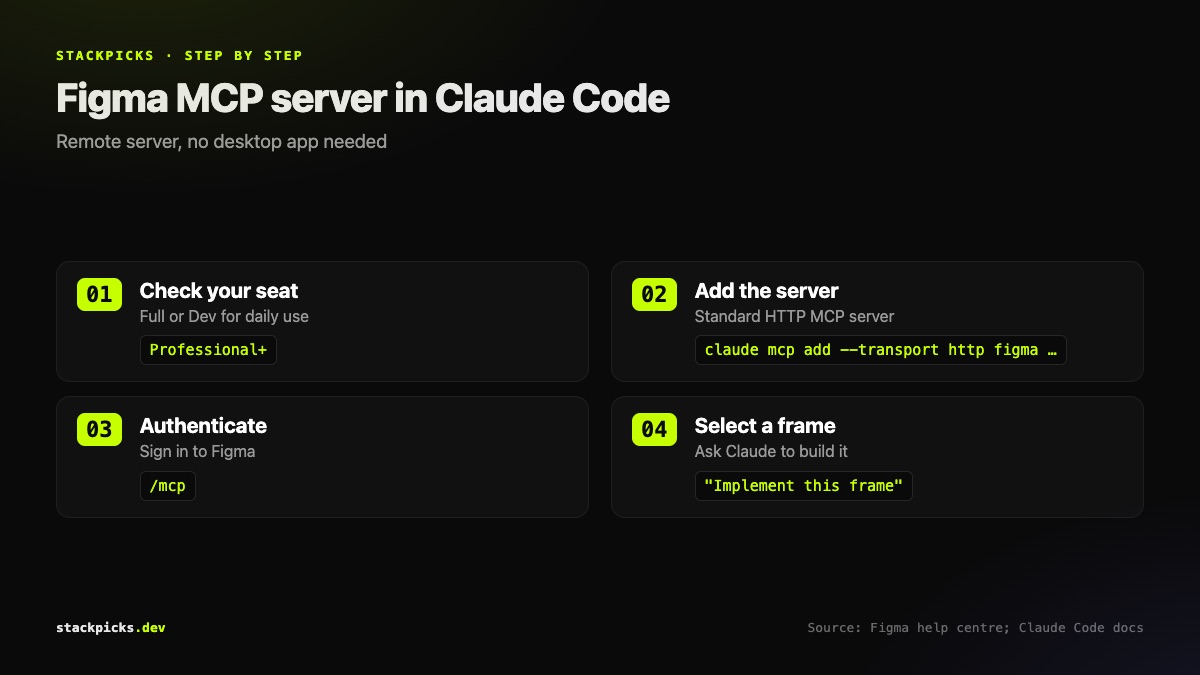
The remote server is a standard HTTP MCP server, so the usual Claude Code command applies:
claude mcp add --transport http figma https://mcp.figma.com/mcpThen run `/mcp` inside Claude Code to authenticate with your Figma account. Figma also publishes a dedicated Claude Code setup article if your organisation has extra steps. New to MCP in Claude Code? Start with our MCP in Claude Code guide.
The rate limits, exactly
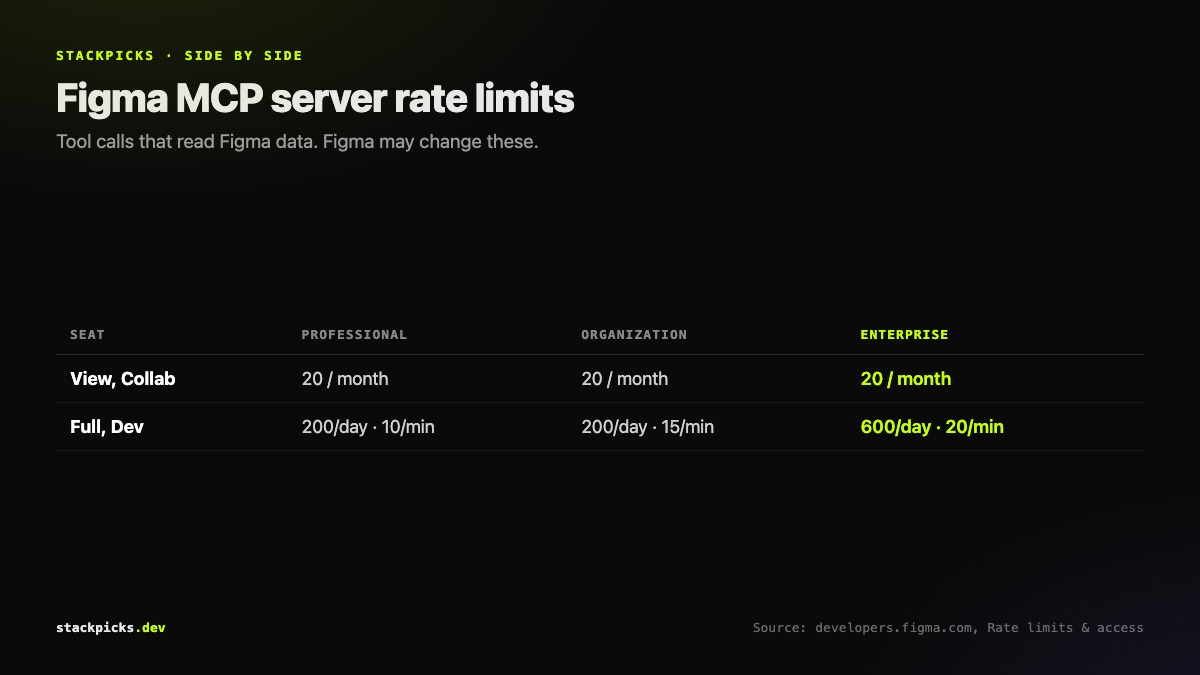
| Seat | Starter | Professional | Organization | Enterprise |
|---|---|---|---|---|
| View, Collab | 20 / month | 20 / month | 20 / month | 20 / month |
| Full, Dev | — | 200 / day, 10 / min | 200 / day, 15 / min | 600 / day, 20 / min |
Education plans match Professional Full and Dev seats. A few details matter in practice:
- Limits apply to tools that read data from Figma.
add_code_connect_map,create_new_file,generate_figma_designandwhoamido not count.- Actions that use Figma AI credits do not count toward MCP limits either.
- Figma says it may change these limits at any time.
Writing back to the canvas
The server can also write frames, components, variables and auto layout to the canvas. That needs the remote server and a Full seat to write outside your drafts. Figma says writing is free during the beta and will become usage-based, so do not build a workflow that assumes it stays free.
Is Framelink a better choice?
Framelink (MIT, about 16,000 GitHub stars) is a community MCP server that feeds Figma layout data to coding agents using a Figma API token. Before Figma's official server existed it was the default answer. Today, if you have a Full or Dev seat, the official server is the simpler and better-supported route. Framelink remains worth a look if you are on a View seat and 20 calls a month will not do — but it is subject to Figma's own API limits, so check those for your plan.
Why this got busier this week
At its first Config event in India on 20 October 2026, Figma announced 20 new MCP partners, while its co-founder Dylan Field publicly called the protocol imperfect, citing data-security limits (TechCrunch). Both points are fair: design-to-code over MCP works, and you should still review what a server can read — see our MCP security checklist.