
**Short version:** a plugin is a bundle. Instead of setting up a skill, a subagent, a hook and an MCP server one by one, you install them together with one command, and update them together from a marketplace. That convenience has a cost most people miss: every enabled plugin sits in Claude's context on every turn, even when you never use it. Everything below is from Anthropic's plugins documentation.
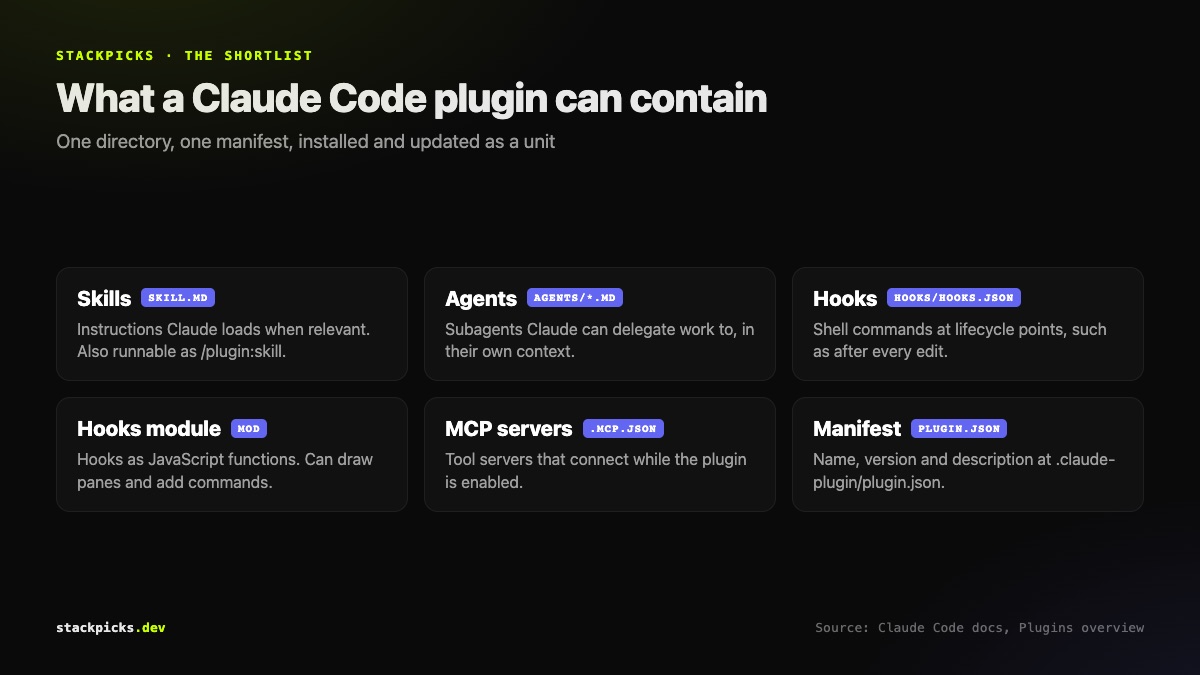
What is inside a plugin
A plugin is a directory with a manifest at .claude-plugin/plugin.json. The manifest gives the plugin its name and optionally a version and description. Around it sit the components:
- Skills —
SKILL.mdinstructions Claude loads when relevant, which you can also run as a command such as/my-plugin:review - **Agents** — subagent definitions Claude can delegate to (see our subagents guide)
- **Hooks** — shell commands that run at lifecycle points, such as after every edit (see hooks examples)
- A hooks module — hooks written as JavaScript functions; a plugin with one is called a mod
- MCP servers — tool servers that connect while the plugin is enabled
How to install a plugin
- Start Claude Code in a terminal and run
/plugin. - Open the Discover tab — it lists plugins from every marketplace you have added.
- Pick a plugin and choose an install scope.
Anthropic's official marketplace, claude-plugins-official, is added automatically the first time you start an interactive session. Plugins are addressed as name@marketplace, for example commit-commands@claude-plugins-official. To add someone else's catalogue, use /plugin marketplace add with its repository.
Pick the right install scope
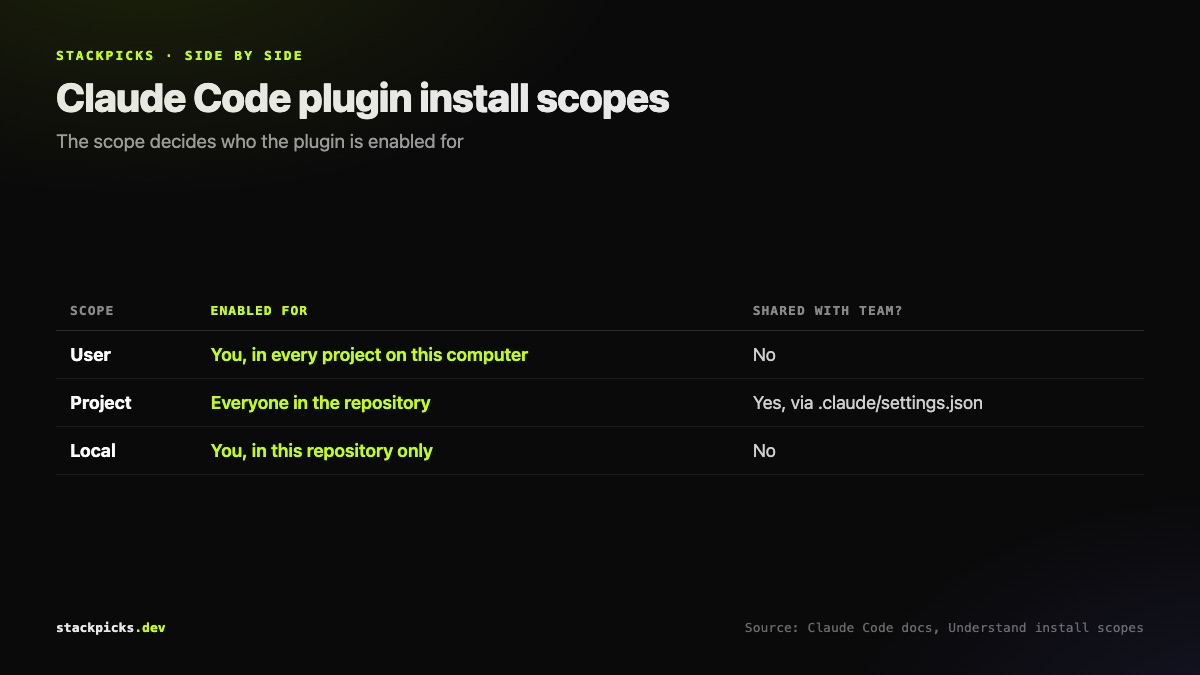
| Scope | Enabled for | Stored in |
|---|---|---|
| User | You, in every project on this machine | your user settings |
| Project | Everyone in the repo | committed .claude/settings.json |
| Local | You, in this repo only | local settings |
Project scope is how a team standardises tooling: commit it once, and each collaborator installs the plugin on their own machine. Note that a cloud session at claude.ai/code does not load the plugins from your local settings.
The cost nobody mentions
For every skill, agent and command Claude can invoke on its own, the name and description are in context on every turn — that is how Claude knows they exist. Those tokens count toward your usage whether or not the plugin does anything that session. MCP servers a plugin defines run alongside every session where it is enabled.
Three ways to stay in control:
- Before installing: open the plugin from the Marketplaces tab in `/plugin`. Plugins in the official marketplace show a Context cost estimate.
- After installing: the Installed tab groups plugins you have not used recently.
- To pause without uninstalling: disable it in
/plugin, or runclaude plugin disablein your shell.
If token spend already worries you, our guide to reducing Claude Code token usage covers the rest of the budget.
Trust: a plugin runs as you
Marketplaces fall into three tiers. Official names such as `claude-plugins-official` and community names such as `claude-community` are only accepted when sourced from `github.com/anthropics/` repositories. Everything else, including your company's own catalogue, is third-party.
Whatever the tier, a plugin's hooks and MCP servers execute with your user privileges. Read what a plugin runs before you install it — the same discipline as our MCP server security checklist.
When you do not need a plugin
Skills, subagents, hooks and MCP servers all work on their own. A skill saved in ~/.claude/skills/ is already available in every project. Reach for a plugin when you want several of those packaged together, shared with a team, or versioned. To build one, start from an empty folder and load it with --plugin-dir while developing — no marketplace needed until you publish.
**Related:** How to use MCP in Claude Code · Claude Code vs Codex