
Short version: LinkedIn has no official MCP server. Community options exist — the most-used is a Python-based server that connects via your logged-in session cookie — but they operate in LinkedIn's grey zone (technically against the ToS, no rate-limit protection). If you're okay with the risk on a secondary account, connecting takes 10 minutes: install the MCP server, paste your session cookie, restart Claude Desktop. Below is the honest step-by-step.
What "LinkedIn MCP" actually means
MCP (Model Context Protocol) lets an AI like Claude call external tools. An MCP server for LinkedIn exposes LinkedIn actions (get profile, search jobs, read inbox, send messages, browse feed) as tools Claude can invoke.
There is no official LinkedIn MCP server from LinkedIn or Anthropic. What exists:
- **Community Python servers** — the most popular is adhikasp/mcp-linkedin on GitHub, which wraps the unofficial
linkedin-apiPython package. - Wrapper services like Composio and Pipedream that host LinkedIn integrations and expose them via MCP.
- Custom builds on top of LinkedIn's official Marketing API (requires app registration, limited scope).
The community server is what most people mean when they say "LinkedIn MCP." It works, but read the ToS section below first.
The honest ToS warning
LinkedIn's ToS prohibits automated access outside their official APIs. The community MCP server uses your session cookie to act as you — LinkedIn cannot distinguish an MCP call from a real click. Risk profile:
- Read actions (view profile, read feed, read inbox): Low risk. LinkedIn rarely flags read-only patterns.
- Write actions at low volume (send 2-3 messages a day): Moderate risk. Fine for personal use.
- Bulk write actions (mass connect, mass DM): High risk. Account restriction or ban likely within days.
Use a secondary LinkedIn account for testing. Do not connect the account you actually use for business until you understand the request patterns.
Connect LinkedIn to Claude in 5 easy steps
Total time: about 10 minutes. You need Claude Desktop already installed. If you don't have it, download from claude.ai/download first.
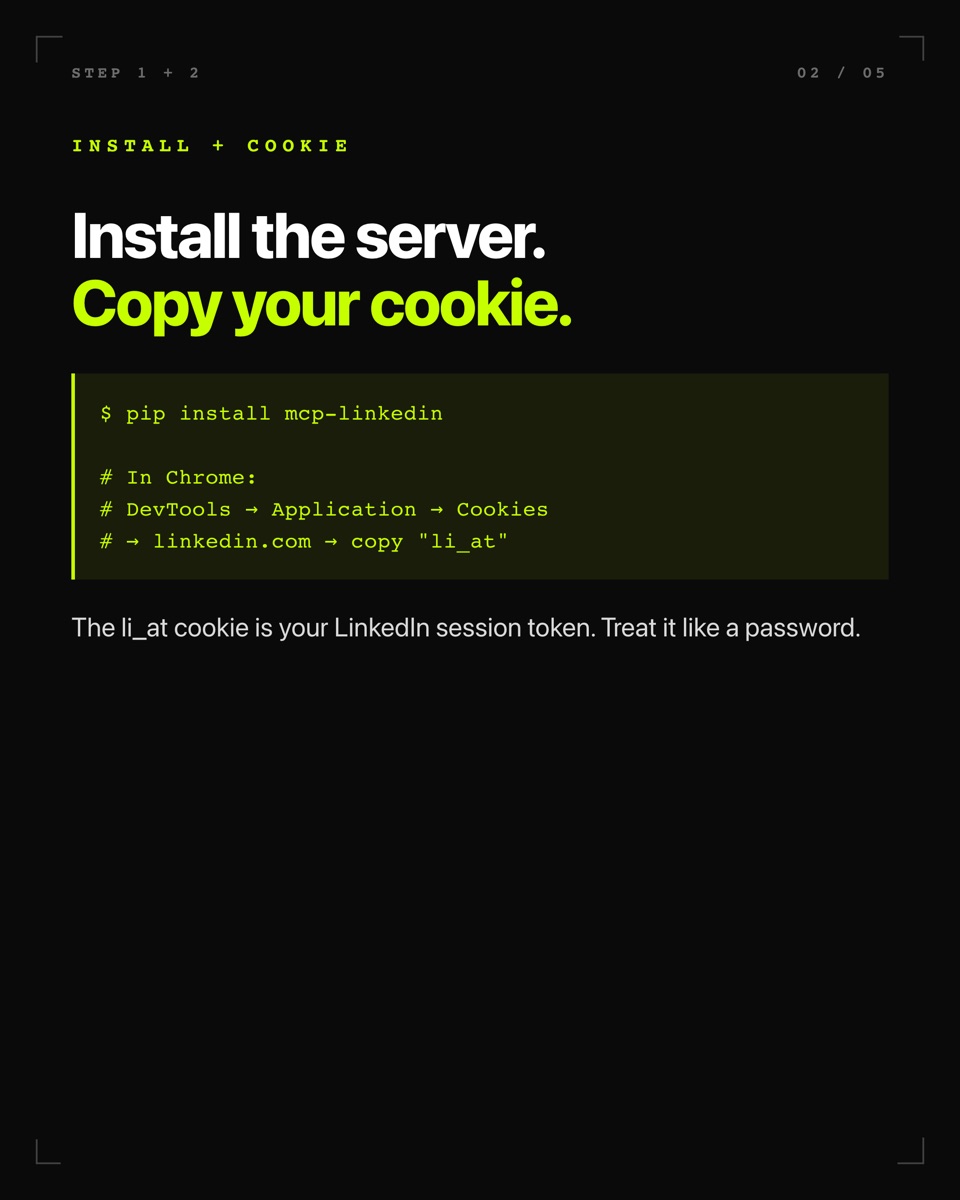
Step 1 — Install the MCP server.
Open Terminal and run:
pip install mcp-linkedinThat installs the community LinkedIn MCP server. Python 3.10+ required. If pip is missing, install Python first via brew install python@3.11.
Step 2 — Copy your LinkedIn cookie.
Open linkedin.com in Chrome. Right-click → Inspect → Application tab → Cookies → linkedin.com. Find the row named li_at and copy its value. That is your auth token — treat it like a password.
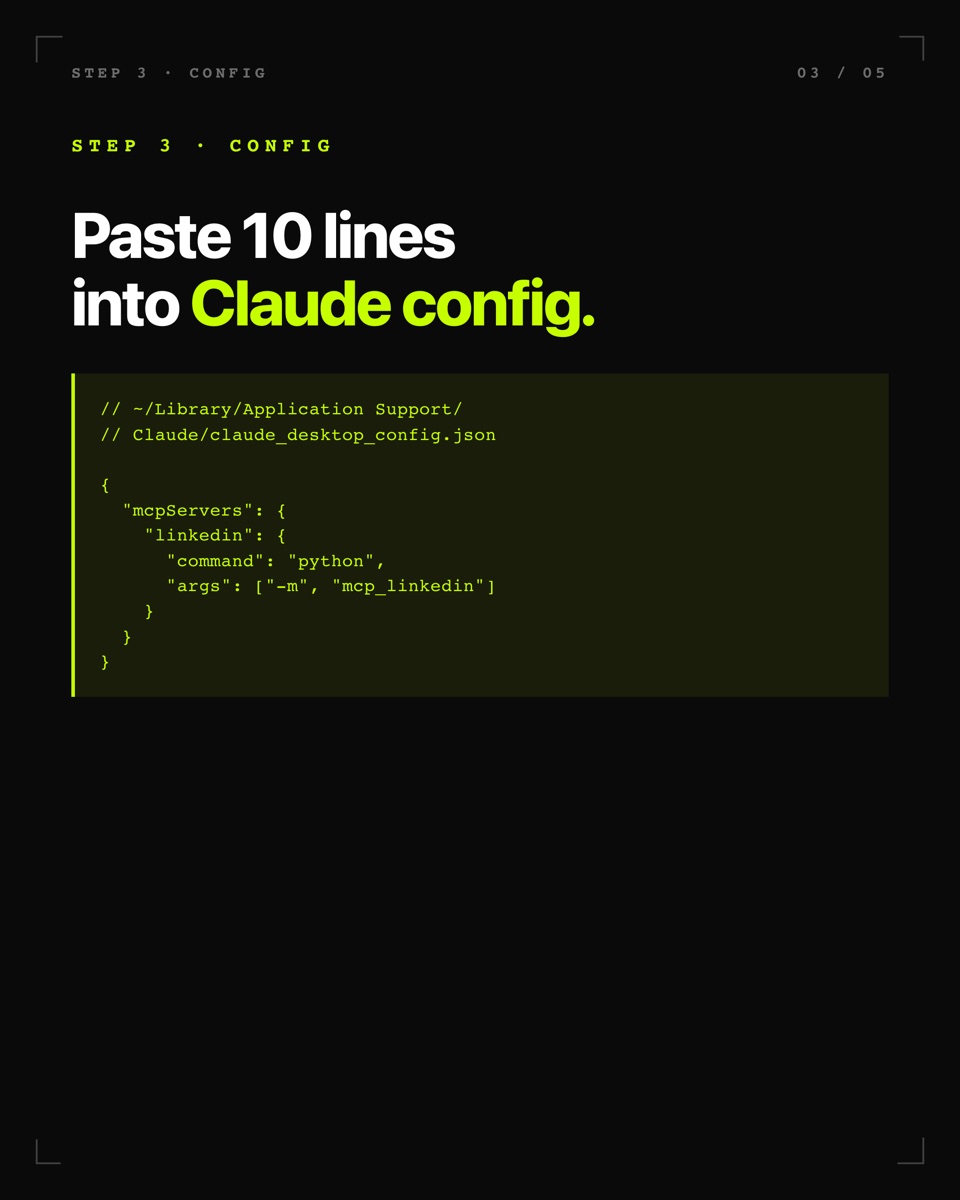
Step 3 — Edit the Claude Desktop config file.
The file lives at ~/Library/Application Support/Claude/claude_desktop_config.json (macOS) or %APPDATA%\Claude\claude_desktop_config.json (Windows). Open it in any text editor and paste:
{
  "mcpServers": {
    "linkedin": {
      "command": "python",
      "args": ["-m", "mcp_linkedin"],
      "env": {
        "LINKEDIN_EMAIL": "your-email@example.com",
        "LINKEDIN_PASSWORD": "your-password"
      }
    }
  }
}
If the file doesn't exist yet, create it. If it exists, merge the `mcpServers` key into what's already there. Anthropic's MCP quickstart docs explain the config format in detail.
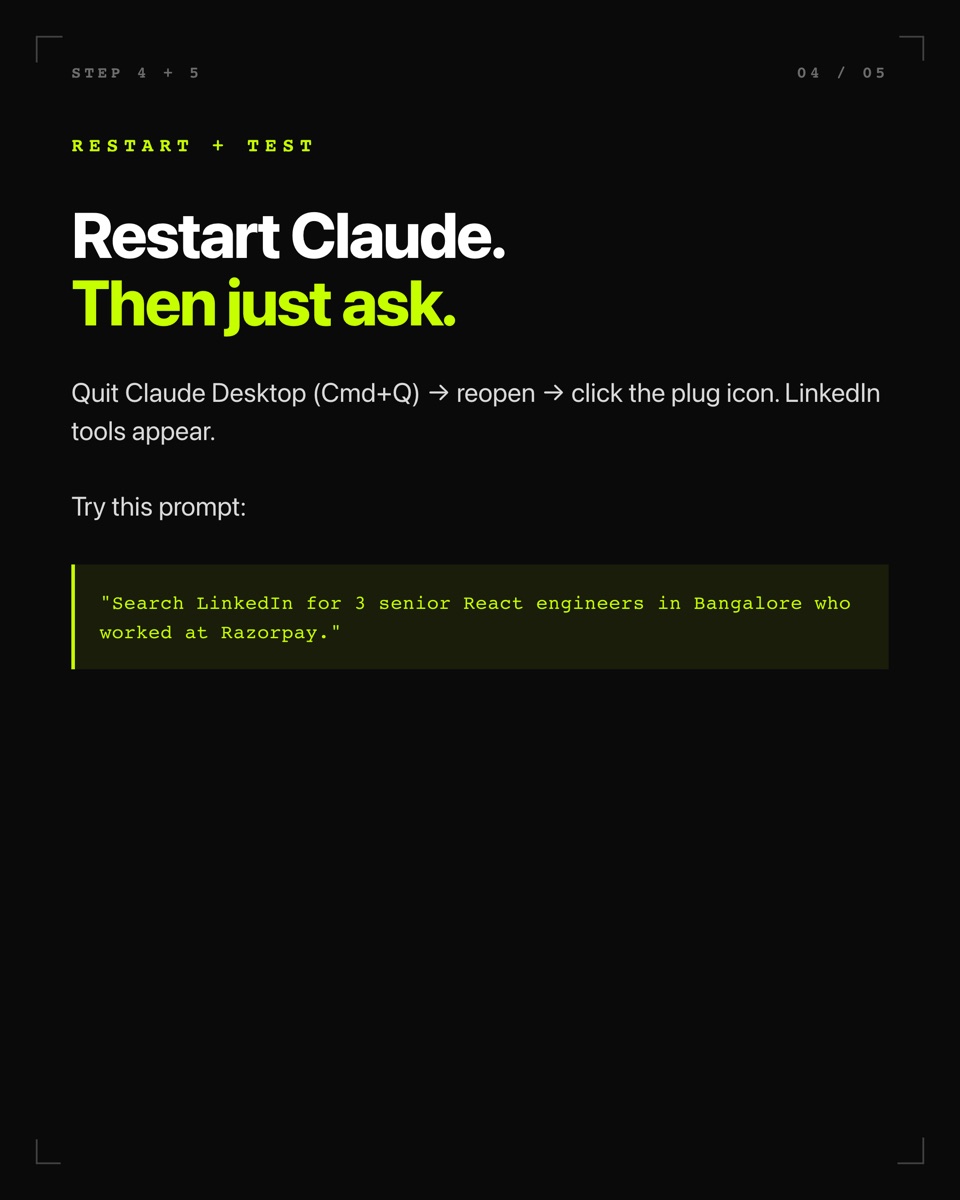
Step 4 — Restart Claude Desktop.
Quit fully (Cmd+Q on Mac) and reopen. Look for the plug icon 🔌 in the message box. Click it — you should see LinkedIn tools listed: search_people, get_feed, send_message, get_profile, and more.
Step 5 — Test with a safe read-only prompt.
Ask Claude: *"Search LinkedIn for 3 senior React engineers in Bangalore who worked at Razorpay."* If Claude comes back with real results, you're wired up. If not, check the troubleshooting section on the GitHub repo — most issues are missing Python paths.
Five things that actually work well
- Prospect research. "Find 20 founders in India who posted about affiliate marketing in the last 30 days." Faster than manual search + copy-paste.
- Inbox triage. "Summarize my unread LinkedIn DMs and flag ones asking about pricing or partnerships." Great for founder inboxes.
- Content research. "Analyze the top 10 posts on my feed about MCP this week — what's the common hook structure?" Useful for writing better posts.
- Job board scraping. "Find fully-remote senior TypeScript roles posted in the last 24 hours in EU timezones." Cleaner than LinkedIn's job filter UI.
- Post scheduling drafts. "Draft a LinkedIn post about building in public with these three data points" — Claude writes, you copy-paste to publish (do not auto-publish via MCP; that's how bans happen).
What to buy to level up your LinkedIn presence
LinkedIn's algorithm has heavily shifted toward native video in 2026. If you're serious about posting, three upgrades matter more than any AI tool:
Webcam. Your MacBook camera is the reason your videos look amateur. A dedicated 4K webcam at eye level fixes this in one purchase.
Microphone. LinkedIn native video is 80% audio. A dynamic USB mic eliminates room echo and background noise instantly.
Lighting. A single soft light at 45 degrees replaces your dim overhead bulb and matches broadcast-grade look.
Total spend for the three: around ₹35,000-₹50,000. Compare to running a single LinkedIn Ads campaign at ₹500 CPM — the gear pays back in six months of improved organic reach because LinkedIn's algorithm rewards videos with strong retention (which strong audio + lighting drive).
What comes next
If you're getting deeper into MCP, the same setup pattern works for Notion, Slack, Gmail, and Supabase — every category on StackPicks lists the servers worth wiring up. See also best AI side hustles for 2026 and how to make money with AI for real ways to monetize the LinkedIn-connected workflows above.
If your goal is content-driven — writing better LinkedIn posts, growing a personal brand — pair MCP with the best ChatGPT prompts for 2026 and building websites with AI. And if you want to move to YouTube instead of LinkedIn video, the best faceless YouTube niches for 2026 breakdown has RPM data across 15 niches.
LinkedIn is the messiest MCP integration because it has no official server. Every other major SaaS either ships one directly or has a Composio wrapper that maintains it for you.
Start with read-only actions on a secondary account. Once you know the shape of what Claude can do, decide whether the automation is worth the ToS grey zone for your specific use case. For most solo operators, the answer is "yes for prospect research and inbox triage, no for automated posting."