
Short version: for a quick look at a public repo, use Gitingest by swapping "hub" for "ingest" in the URL. For anything you will repeat, or anything private, use Repomix from the command line. Either way, include less than you think: a focused pack beats a complete one. Commands below come from each project's README, checked on 18 September 2026.
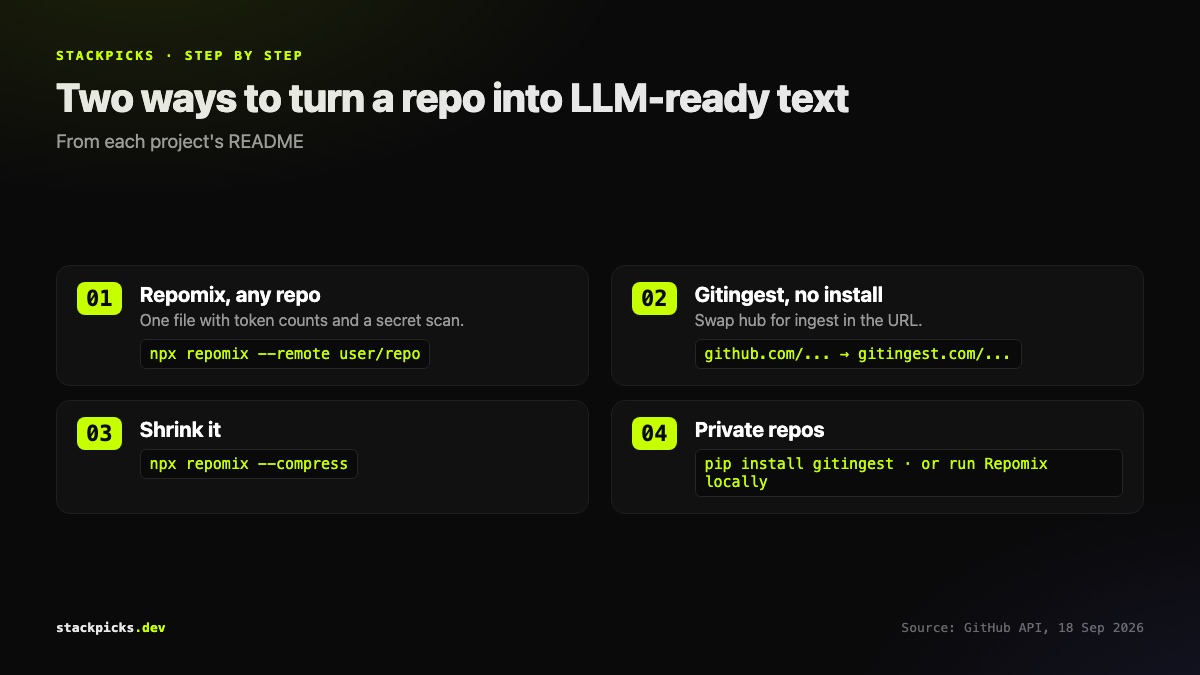
Option 1: Repomix
Repomix (about 28,000 stars, MIT) packs a repository into one AI-friendly file with token counts, respects .gitignore, and scans for secrets before writing output.
npx repomix                          # pack the current directory
npx repomix --remote user/repo       # pack a public GitHub repo
npx repomix --style markdown         # markdown instead of the default XML
npx repomix --compress               # keep structure, drop implementation detail
Option 2: Gitingest
Gitingest (about 15,500 stars, MIT) is the no-install option. Replace hub with ingest in any GitHub URL to open a digest in the browser. For private repositories or scripting, install the CLI:
pip install gitingest
gitingest https://github.com/user/repo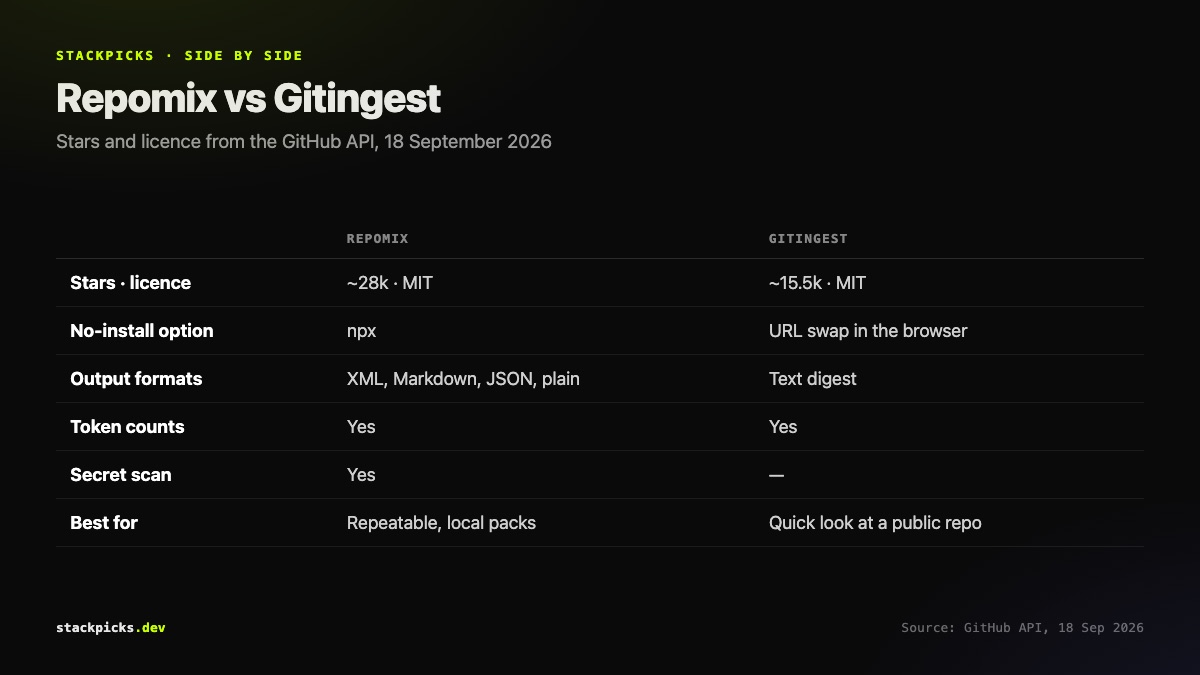
Making it fit
- Include only what the question needs.
- One package or directory, not the whole monorepo.
- Exclude the noise.
- Tests, fixtures, lockfiles, generated code and vendored dependencies.
- Compress if still too big.
- Repomix's --compress keeps signatures and structure.
- Stop packing past a certain size.
- For large codebases, give an agent a code index over MCP instead.
Before you paste
Check the output for secrets, even with a scanner, and check your employer's policy on sending source code to AI services. For day-to-day work inside a codebase, an agent with direct file access, as covered in our guide to reducing Claude Code token usage, is usually better than pasting a packed file into a chat.