All posts
AI Engineering·6 min read·Updated 18 Sept 2026

Jira MCP Server: How to Connect Jira and Confluence to Claude, Codex and Cursor (2026)

Quick answer
The official Jira MCP server is Atlassian's remote server at https://mcp.atlassian.com/v2/mcp. In Claude Code, run claude mcp add --transport http atlassian https://mcp.atlassian.com/v2/mcp, then /mcp to sign in. It works with Atlassian Cloud only and respects your existing Jira and Confluence permissions.

Set up Atlassian's official MCP server for Jira and Confluence: the v2 endpoint, commands for Claude Code, Codex, VS Code and Cursor, admin settings, and the Data Center alternative.

Piyush Jangir
Verified author

Founder of StackPicks. Self-taught builder shipping open-source dev tools, marketing, and curator content since 2019. Based in Mumbai, India. Available on GitHub and LinkedIn.

6 min read
Jira MCP Server: How to Connect Jira and Confluence to Claude, Codex and Cursor (2026)

**Short version:** Atlassian runs an official remote MCP server. Point your AI tool at `https://mcp.atlassian.com/v2/mcp`, sign in with OAuth, and the assistant can search, create and update Jira issues and read Confluence pages, strictly within your own permissions. It is Cloud-only; Data Center teams need a community server instead. Details below are from the atlassian-mcp-server README, checked in September 2026.
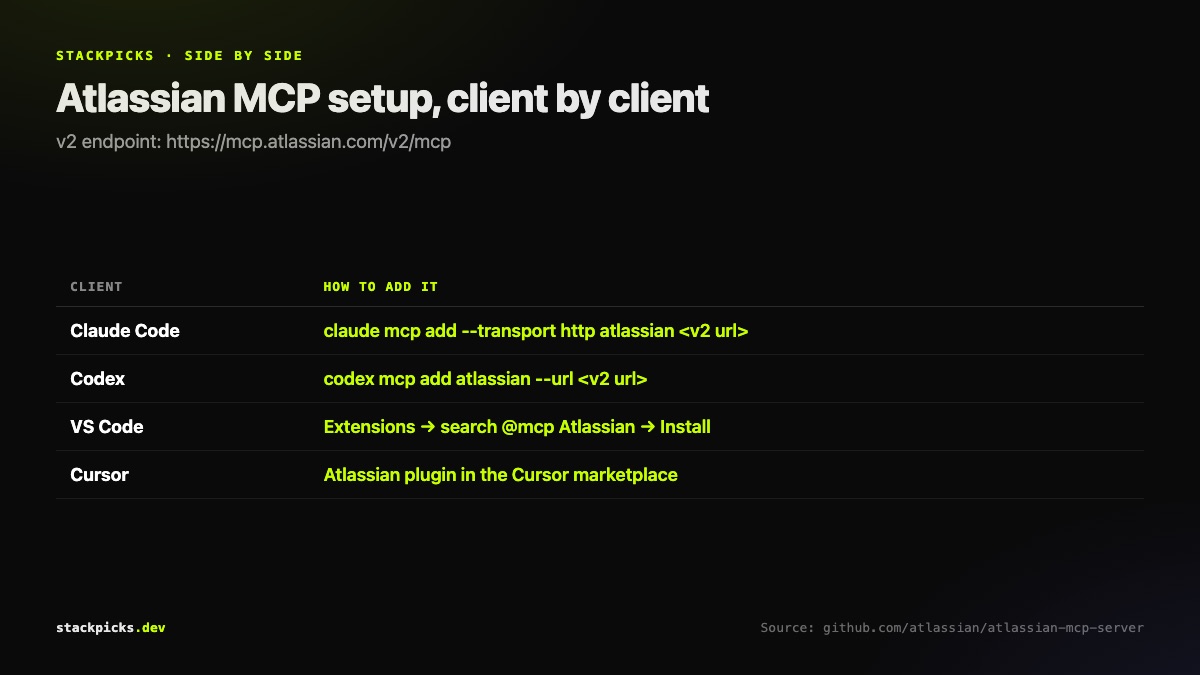
Atlassian MCP server setup commands for Claude Code, Codex, VS Code and Cursor

Setup by client

  • Claude Code: claude mcp add --transport http atlassian https://mcp.atlassian.com/v2/mcp, then /mcp to authenticate.
  • Codex: codex mcp add atlassian --url https://mcp.atlassian.com/v2/mcp.
  • VS Code with Copilot: search @mcp Atlassian in the Extensions view and install.
  • Cursor: add the Atlassian plugin from the Cursor marketplace.

What it covers

Jira, Confluence, Jira Service Management, Bitbucket, Compass and Loom on Atlassian Cloud. Typical tasks: search bugs, create and update issues, bulk-create work items from a spec, summarise Confluence documentation, and link content across products.

Admin settings that trip people up
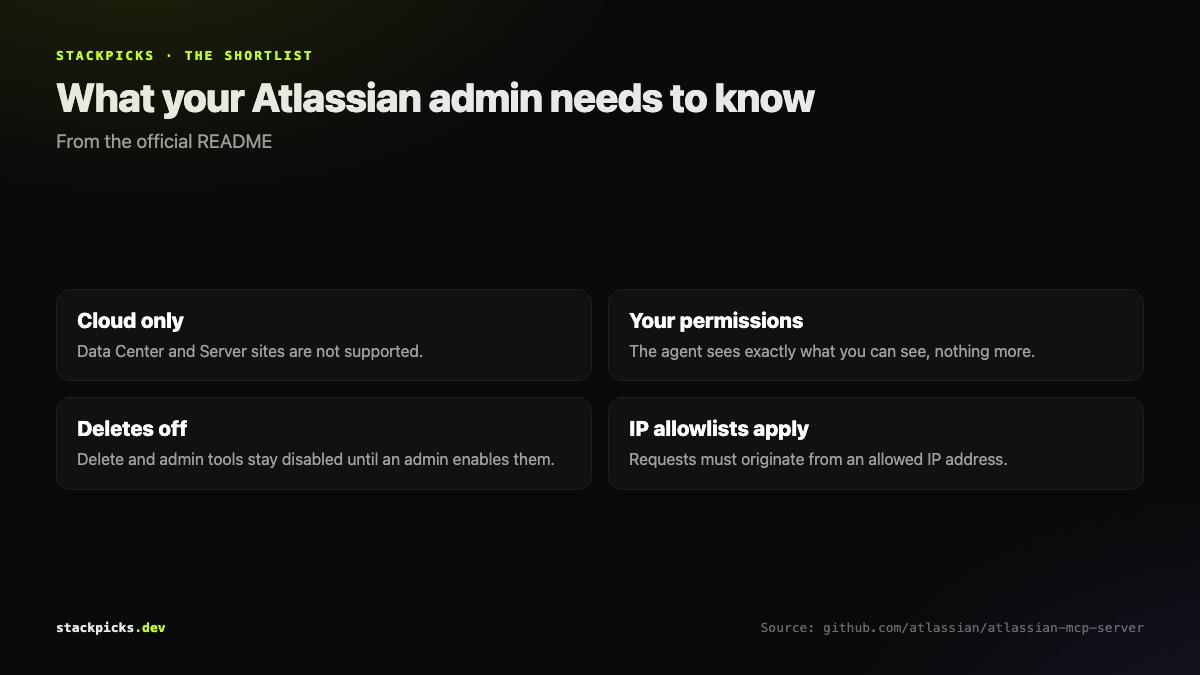
Atlassian MCP server: what admins need to know

  1. Cloud only.

- Data Center and Server sites are not supported.

  1. Delete and admin tools are off by default.

- An administrator must enable them.

  1. IP allowlisting still applies.

- Requests through the MCP server must come from an allowed IP.

  1. API tokens must be enabled for JSM.

- Jira Service Management tools only work with API token authentication.

On Jira Data Center?

Use the community sooperset/mcp-atlassian server, which supports on-premises deployments. Review what it can reach before connecting it to production.

A workflow that pays for itself

Ask the agent to read a bug report, reproduce it in the codebase, and file a Jira issue with the stack trace and a proposed fix, linked to the Confluence spec it came from. That is three tabs of copy-paste replaced by one prompt. See the Claude Code MCP guide for scoping this server to one project with --scope project.

Frequently asked questions

Does the Atlassian MCP server work with Jira Data Center?+

No. Atlassian's official server supports Atlassian Cloud sites only. For Jira Server or Data Center, the most widely used option is the community sooperset/mcp-atlassian server, which supports both Cloud and on-premises deployments and has around 5,900 GitHub stars. As a community project, review its permissions and maintenance status before connecting production systems.

Can the AI see Jira projects I do not have access to?+

No. Atlassian states that data access respects user permissions across every connected product, so the assistant sees exactly what you would see in the browser and nothing more. Every action runs as you. That also means an assistant with your login can do anything you can, so give it tasks you would be comfortable doing yourself.

Why can the assistant not delete Jira issues?+

Delete and administrative tools are disabled by default. A site administrator has to enable them before they appear. That is a sensible default: most workflows need search, create and update, and an agent that can bulk-delete issues is a risk most teams do not need to take. Ask your admin only if you have a specific, recurring need.

Should I use the v1 or v2 Atlassian MCP endpoint?+

Use v2, https://mcp.atlassian.com/v2/mcp. Atlassian recommends it for new setups because it exposes more tools and more products. Existing v1 connections are moved onto v2 tools automatically, though some clients may need their cached client IDs or stored credentials cleared to keep authenticating after the change.

Can I use an API token instead of OAuth?+

Yes. Besides OAuth 2.1, the server accepts a personal API token using basic authentication, or a service account API key as a bearer token. Jira Service Management tools specifically require API token authentication, and an administrator must enable API token authentication in Atlassian Administration first. OAuth remains the simpler choice for individual developers.

More in AI Engineering

Jira MCP Server: How to Connect Jira and Confluence to Claude, Codex and Cursor (2026) — StackPicks — StackPicks